Transcribe speech to text
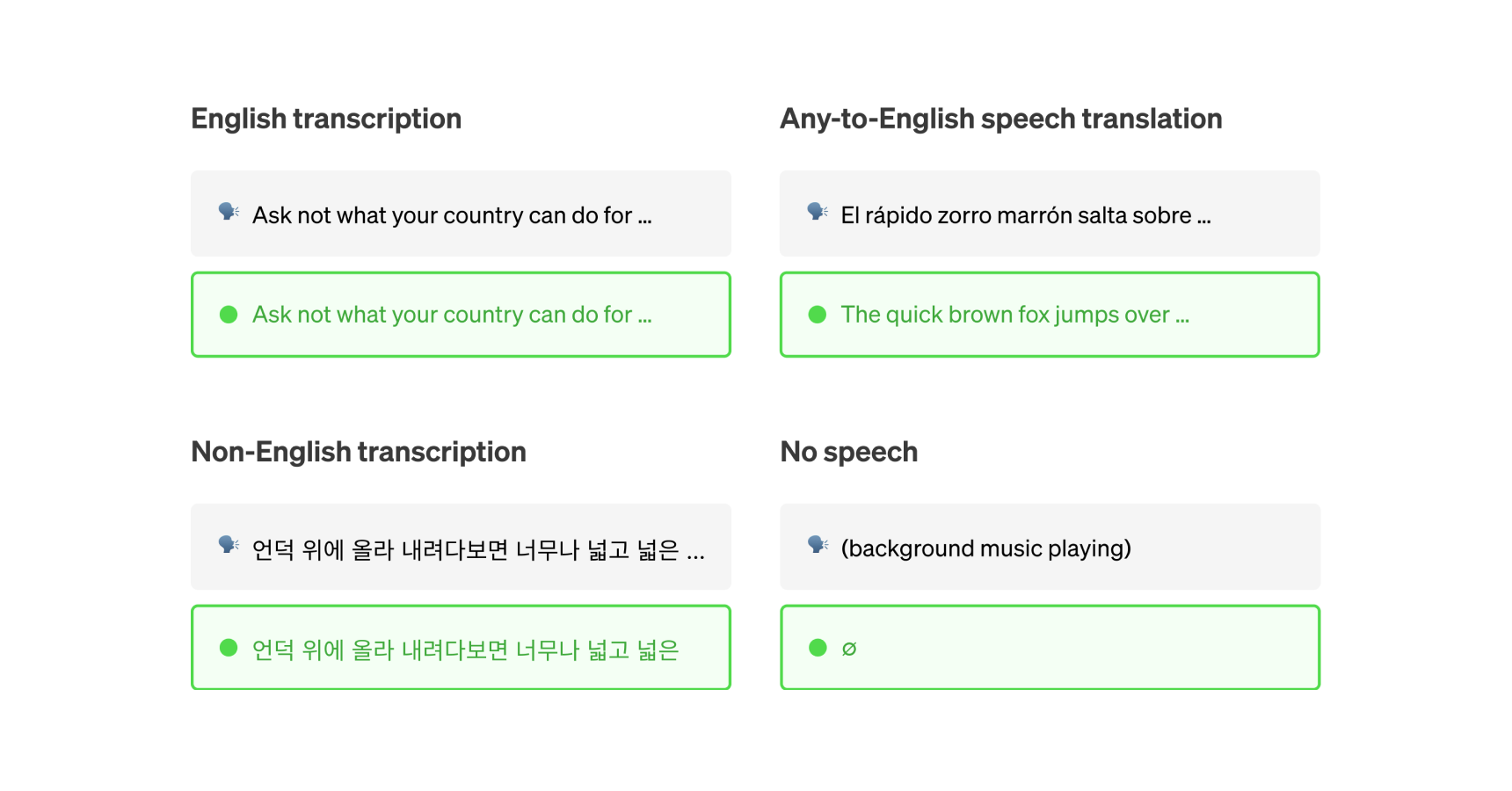
Transcribe audio to text in multiple languages. Whether you need a quick transcript, speaker labels, or real-time transcription, there's a model here for it.
Models we recommend
Best accuracy: GPT-4o Transcribe
GPT-4o Transcribe uses GPT-4o to transcribe audio with the best word error rate available. It handles accents, technical terms, and noisy audio better than traditional Whisper models. Supports optional text prompts to guide transcription style.
Best for speed: Incredibly Fast Whisper
Incredibly Fast Whisper lives up to its name — it can transcribe 150 minutes of audio in under 2 minutes. Supports 98 languages with optional speaker diarization and word-level timestamps. The go-to choice for high-volume transcription.
For speaker labels: WhisperX
Need to know who said what? WhisperX adds speaker diarization and word-level timestamps on top of Whisper Large v3. 70x faster than real-time. Great for meetings, interviews, and podcasts.
Budget official option: GPT-4o Mini Transcribe
GPT-4o Mini Transcribe gives you GPT-4o-level transcription quality at a lower price point. Same improved accuracy for accents and technical vocabulary, just at a more cost-effective tier.
For translation: SeamlessM4T
SeamlessM4T handles speech-to-speech translation, speech-to-text translation, text-to-speech, and automatic speech recognition in one model. Use it when you need to translate between languages, not just transcribe.
You can also check out our speaker diarization collection for models that identify speakers from audio and video.
Featured models
 victor-upmeet/whisperx
Accelerated transcription, word-level timestamps and diarization with whisperX large-v3
Updated 4 months, 3 weeks ago
9.6M runs

 openai/gpt-4o-transcribe
A speech-to-text model that uses GPT-4o to transcribe audio
Updated 11 months ago
82.4K runs
 vaibhavs10/incredibly-fast-whisper
whisper-large-v3, incredibly fast, powered by Hugging Face Transformers! 🤗
Updated 2 years, 7 months ago
40.5M runs
Recommended Models
Frequently asked questions
Which models are the fastest for transcribing speech?
If speed is your top priority, vaibhavs10/incredibly-fast-whisper and openai/gpt-4o-transcribe are among the fastest models in the speech-to-text collection. They’re designed for low-latency transcription, which makes them ideal for live or near real-time scenarios like voice notes, quick interviews, or interactive applications.
Keep in mind that faster models may not include advanced features like speaker labeling or word-level timestamps.
Which models offer the best balance of transcription accuracy and flexibility?
openai/whisper is a reliable general-purpose option that works well with clean audio and single-speaker recordings. It offers multilingual support and solid accuracy for most everyday transcription needs.
If you need more structure—like timestamps or speaker labels—victor-upmeet/whisperx adds those capabilities without a massive jump in runtime.
What works best for clean, single-speaker audio?
For clear recordings like lectures, podcasts, or voice memos, vaibhavs10/incredibly-fast-whisper or openai/whisper are great choices. They deliver accurate transcripts quickly and handle common accents well.
What’s best for transcribing meetings or multi-speaker conversations?
If your audio includes multiple speakers—like team meetings, interviews, or panel discussions—victor-upmeet/whisperx is your best bet. It adds speaker diarization and word-level timestamps so you can keep track of who said what.
How do the main types of speech-to-text models differ?
- Basic transcription: Converts audio to text with no extra metadata. Good for single-speaker, clean audio.
- Diarization and timestamps: Adds speaker labels and word-level timing, ideal for meetings and interviews (e.g., whisperx).
- Multilingual and translation: Some models can detect or translate languages directly (see seamless_communication).
- Speed vs features: Faster models (e.g., incredibly-fast-whisper, gpt-4o-transcribe) focus on getting text out quickly, while feature-rich ones provide more structured output.
What’s best for multilingual or translation-heavy work?
If you need transcription in multiple languages or want translations built in, cjwbw/seamless_communication is a strong option. It supports multiple languages and can handle more complex audio scenarios like mixed-language conversations.
What types of outputs can I expect from speech-to-text models?
Most models produce plain text transcripts. Some also include:
- Word- or phrase-level timestamps.
- Speaker labels for multi-speaker audio.
- Language detection and confidence metadata.
- Optional translations if the model supports it.
How can I self-host or push a speech-to-text model to Replicate?
You can package your own model with Cog and push it to Replicate. This lets you control how it’s run, updated, and shared, whether you’re adapting an open-source model or deploying a fine-tuned one.
Can I use speech-to-text models for commercial work?
Many models in the speech-to-text collection allow commercial use, but licenses vary. Some models have conditions or attribution requirements, so always check the model page before using transcripts in commercial projects.
How do I use speech-to-text models on Replicate?
- Choose a model from the speech-to-text collection.
- Upload your audio file or paste a URL.
- Set options like language hints or diarization if supported.
- Run the model to generate a transcript.
- Download or integrate the results into your workflow.
What should I keep in mind when transcribing audio?
- Clear audio improves transcription quality. Minimize background noise when possible.
- Not every model supports timestamps, speaker labels, or translation—check before running.
- For long recordings, splitting the file can speed up processing and improve reliability.
- File format matters: many models expect WAV at 16 kHz.
- If you’re working with multilingual audio, test a short clip first to gauge accuracy.
- For larger projects, plan your workflow with model runtime and capabilities in mind.